
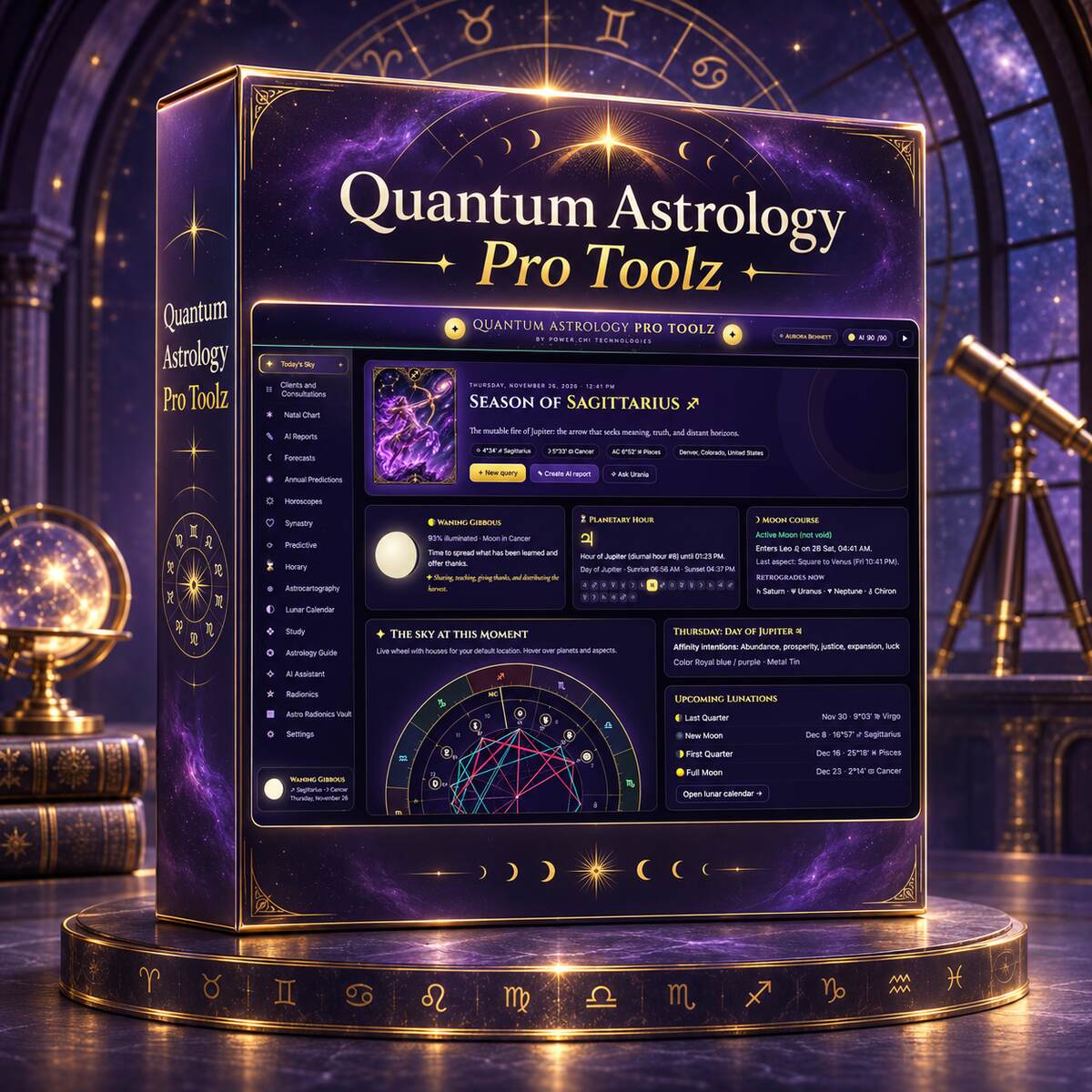
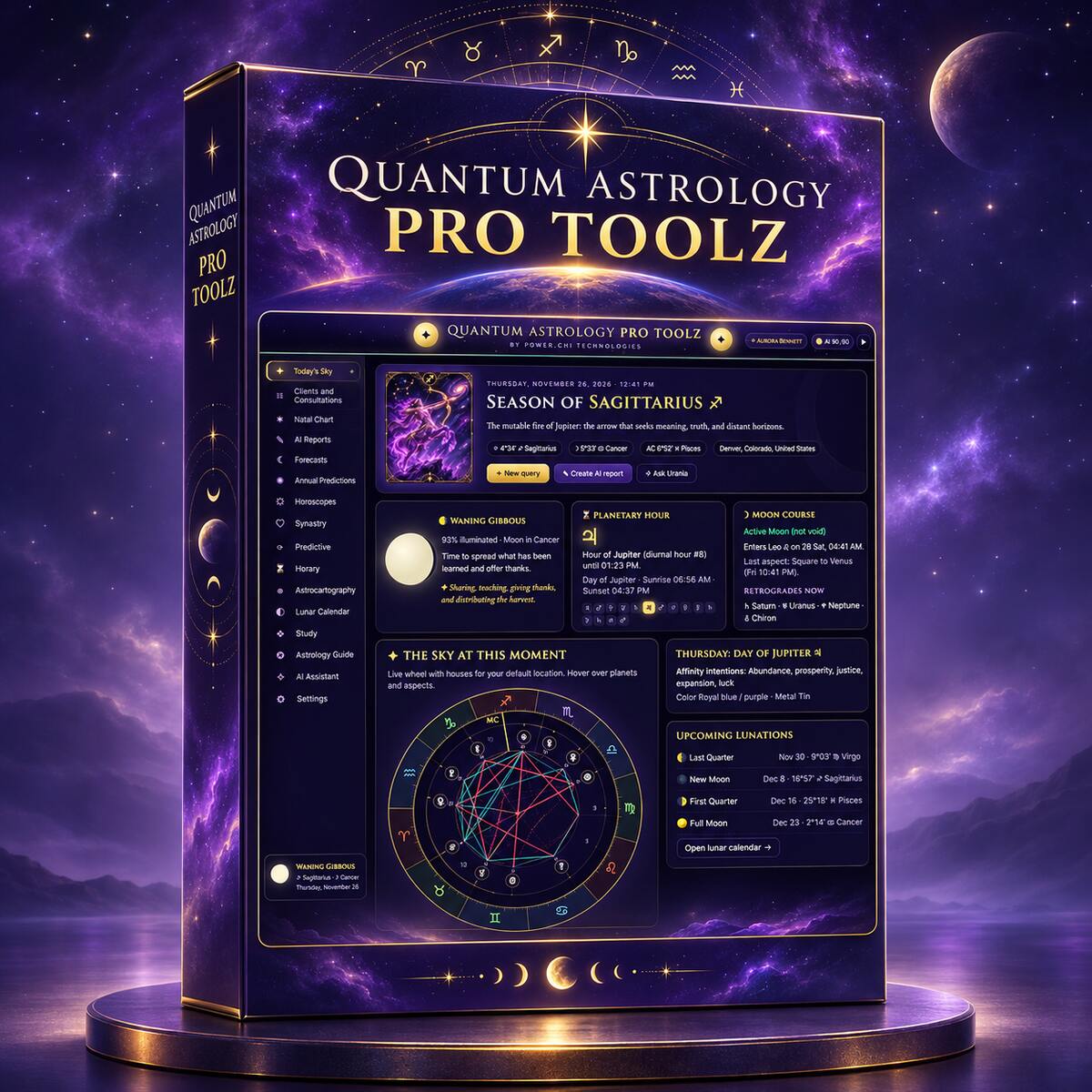

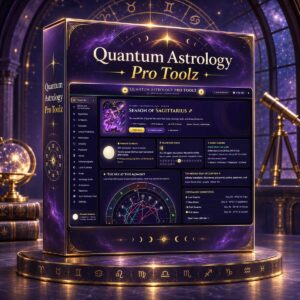
Quantum Astrology Pro Toolz 🌌🔭✨
A professional astrology and stellar radionics studio that brings charts, forecasting, guided interpretation, learning, and metaphysical operations into one focused English interface
Quantum Astrology Pro Toolz is a feature-rich desktop astrology application designed for astrologers, radionics practitioners, students, researchers, and curious explorers who want a structured way to move from birth data to charts, interpretation, timing, reports, and carefully documented operations.
It is not a simple horoscope reader.
It is a complete working environment where client records, natal calculations, forecasting, synastry, predictive methods, horary astrology, astrocartography, lunar planning, guided study, AI-assisted writing, PDF reporting, and stellar radionics come together inside one cohesive interface. 🌌
The application is supplied in English for Apple Silicon Mac computers running macOS 11 or later and 64-bit Windows 10 or Windows 11 computers. The purchase includes both platform installers and an English PDF user manual. Activation, connected horoscope functions, and protected AI features require an internet connection and authorization through the OrgoneGenerators account that owns the product.

A new way to organize an astrological practice ⚡
Many astrology programs stop after calculating a wheel. You enter a date. You choose a place. You receive a chart. And there the experience ends.
Quantum Astrology Pro Toolz goes much further. It helps you preserve the context around each chart, compare people and periods, study techniques, create readable reports, explore timing, and keep related material together. Instead of jumping between unrelated calculators, notes, calendars, prompts, and export tools, you can follow a connected path from Today’s Sky to a client, from the client to a natal chart, from the chart to forecasts and reports, and from the completed work to a native PDF Save dialog.
The result is a more deliberate workspace: one that supports both quick exploration and longer professional sessions. You remain the interpreter and operator. The software gives you calculations, structure, visual organization, and creative support while leaving judgment, ethics, and final decisions in your hands.
What makes this program distinctive? 🌟
🌠 A live Today’s Sky workspace with lunar phase, planetary hour, retrogrades, lunations, Moon course, and a sky wheel
👥 Client and consultation records for natal, forecast, synastry, horary, solar-return, radionics, and other sessions
🌀 Natal wheels with planets, houses, aspects, elements, modalities, dignities, and chart patterns
✍️ A broad catalog of AI-assisted astrology reports with saved local records
📈 Forecast charts, transit calendars, and an animated astro-clock
🗓️ Annual predictions covering eclipses, ingresses, retrogrades, and monthly outlooks from 1900 to 2100
☀️ Daily, weekly, and monthly horoscopes for all twelve signs
💞 Synastry bi-wheels, cross aspects, overlays, compatibility indexes, and composite charts
🔄 Solar return, lunar return, secondary progression, and solar-arc workspaces
⏳ Classical horary tools for the time and place of a clearly stated question
🌍 Astrocartography with AC, DC, MC, and IC planetary lines across a world map
🌙 Lunar phases, eclipses, ingresses, stations, journal entries, and planning tools
📚 Study decks, review tools, quizzes, and a chart-reading guide
✨ Urania, an AI assistant that can use the active chart and current sky as context
⛤ Stellar radionics operations combining intention, witness, timing, selected seals, and a written decree
💾 Local records, JSON backup and restore, configuration files, and native PDF export.
It is like having an astrology desk, consultation notebook, forecasting center, study library, report studio, lunar planner, and stellar radionics canvas within one desktop application.
Begin with the living sky 🌠
Today’s Sky is the natural starting point. It gathers the current astrological atmosphere into a readable dashboard so you can orient yourself before opening a chart or beginning a session. The display includes the lunar phase, the current planetary hour, void-of-course Moon information, retrogrades, upcoming lunations, and a live wheel for the configured location.
This is useful for more than a quick glance. It helps place a client question, forecast, ritual plan, or radionics operation within a visible moment. You can move from the dashboard directly into a new query, a new AI report, Urania, the lunar calendar, or another working section. The interface keeps the daily context close without forcing you to abandon the larger chart.

Keep clients and consultations connected 👥
The Clients and Consultations section stores the information that gives astrological work continuity: names, natal data, location, contact details when you choose to record them, tags, notes, consultation history, follow-up material, and linked reports. A consultation can be categorized as natal, synastry, forecast or transits, horary, solar return, radionics, or another custom purpose.
That structure is valuable when you return to a chart after days or months. Instead of reconstructing the context from memory, you can review what was studied, what questions were asked, and what observations were preserved. The application also supports fictional demonstration records, as shown in the product screenshots, so you can learn the workflow before entering real client information.
You control what you store. Confirm consent before keeping third-party information, verify the birth date, time, time zone, coordinates, and location, and use the operating system’s account security and disk encryption for sensitive work.

Explore the natal chart in layers 🌀
The Natal Chart workspace brings the main chart components together: the wheel, planets, houses, aspects, elements, modalities, dignities, and recognizable patterns. Select an active client or use the Quick Chart workflow when you want to explore a chart without building a long consultation record first.
A natal chart is more than a diagram, so the workspace is designed to support a layered reading. Begin with the overall shape and dominant factors. Move into the luminaries, Ascendant, house emphasis, planetary condition, aspect patterns, and element or modality balance. Then use the report tools or Astrology Guide to organize what you have observed into a coherent sequence.
The software performs the calculations and visualization, but it does not replace verification or professional interpretation. A wrong time zone or uncertain birth time can change important results, so the program keeps the underlying inputs visible and editable.

Turn chart material into structured AI-assisted reports ✍️
The AI Reports catalog supports natal, vocational, spiritual, karmic, compatibility, synastry, symbolic forecasting, transit, horary, electional, tarot, numerology, and related report styles available within the application. The goal is not to replace your voice. It is to help transform precise chart data and a clearly chosen purpose into an organized first draft that you can review, refine, save, and export.
Reports can include calculated visuals relevant to their type, such as a natal wheel, synastry bi-wheel, forecast graph, dignities, or a map. Saved reports remain available in the local application database, allowing you to revisit an interpretation without generating it again. The screenshots use a fictional demonstration profile and contain no real customer information.
Protected AI requests use the application’s daily allowance. The standard allowance is 90 successful responses per UTC day. The interface shows current usage and the remaining allowance so you can plan longer sessions.

Study transits with graphs, calendars, and an astro-clock 📈
Forecasts and Transits is built for time-based exploration. It provides a forecast chart with intensity curves, a chronological transit list, and an animated astro-clock. Choose the active chart and period, then compare the visual peaks with the listed contacts to see when multiple influences gather or separate.
The graph helps reveal rhythm. The calendar gives exact ordering. The astro-clock adds movement and makes the passage of time easier to inspect. These perspectives are especially useful when preparing a consultation, reviewing a completed month, identifying a window for deeper study, or explaining why one period contains several overlapping themes.
You can export the relevant view to PDF after the content has loaded. The native Save dialog lets you choose the filename and folder rather than silently placing files in an unknown location.

Build a broad annual outlook 🗓️
Annual Predictions gathers the year’s larger celestial structure: eclipses, sign changes, planetary retrogrades, lunations, and month-by-month outlooks. The supported year range extends from 1900 through 2100, making the section useful for both contemporary planning and historical study.
Rather than treating one transit as an isolated event, the annual view lets you compare cycles across the entire year. You can scan the overview, open a specific month, identify repeated themes, and then move into Forecasts or an AI Report when a period deserves closer attention. Monthly material can be reviewed on screen and exported as part of a finished document.
The program presents astrological timing as interpretive material, not certainty. Use the outlook to frame questions, prepare, observe patterns, and document your reasoning without presenting a symbolic cycle as a guaranteed external outcome.

Read daily, weekly, and monthly sign horoscopes ☀️
The Horoscopes section creates readings for all twelve signs across daily, weekly, and monthly periods. Daily choices include today, tomorrow, and yesterday, making it possible to compare a completed day with the interpretation as well as look forward. The readings use the real sky context calculated by the app, including lunar conditions, aspects, ingresses, retrogrades, and their relationship to the sign’s solar houses.
This section works well for personal reflection, content preparation, or studying how broad sign-based interpretation differs from an exact natal forecast. The application itself notes that solar-house horoscopes are general by nature; for an individualized reading, use the full chart in Forecasts or AI Reports.
Each result can be preserved locally and exported where supported, helping you compare language, timing, and themes over time.

Compare two people through professional synastry 💞
Synastry compares two selected charts through a bi-wheel, cross aspects, house overlays, combined element patterns, compatibility indexes, and a composite chart. These views help separate several questions that are often mixed together: how one person’s planets contact the other chart, where each person activates the other’s houses, what elemental dynamics are emphasized, and what the relationship looks like as a symbolic entity of its own.
The value is not a single score. It is the ability to inspect multiple layers and explain both ease and tension with nuance. Use the tabs to move between views, return to the original natal charts when necessary, and send the selected client context into an AI-assisted report when you want a structured written interpretation.
Synastry is symbolic and reflective. It should never be used to remove consent, dictate a relationship decision, or claim certainty about another person.

Work with symbolic predictive techniques 🔄
The Predictive workspace includes solar return, lunar return, secondary progressions, and solar arc directions. These techniques approach time from different symbolic angles. A solar return frames the year around the Sun’s return to its natal position and can use relocation. A lunar return follows shorter emotional cycles. Secondary progressions translate longer development through symbolic motion. Solar arc directions advance the chart through a unified arc for focused comparison.
Keeping these techniques in one interface makes it easier to compare them without losing the active client or calculation settings. Select the technique, confirm the year or location where applicable, inspect the resulting chart, and export the view or open an AI report for a fuller written synthesis.
The program supports study and documentation; it does not promise that one technique predicts events with certainty.

Give a precise question a precise moment ⏳
Horary Astrology casts a chart for the time and place at which a clearly stated question is asked and understood. The workspace draws on the classical tradition associated with William Lilly, including the seven traditional planets, dignities, applications, significators, and perfection.
Enter the question carefully, confirm the location and time, and choose the appropriate house system. The resulting chart and supporting tables can be studied directly or used to create a saved horary judgment in Reports. This encourages a disciplined workflow: record the question before interpretation, inspect radicality and significators, follow applying and separating contacts, and document the reasoning behind the conclusion.
Horary requires judgment and context. The tool organizes the chart and available symbolism but does not turn a serious decision into an automatic answer.

See planetary lines across the world 🌍
Astrocartography projects planetary Ascendant, Descendant, Midheaven, and IC lines across a world map. Search for a city or choose a place on the map, then examine which lines pass near the location and what kind of chart angle each line emphasizes.
The map supports geographic comparison in a visual form. It can help you prepare relocation questions, study travel experiences, or identify cities that deserve a complete relocated-chart analysis. Because proximity and planetary condition matter, the program is best used as an entry point rather than a one-line verdict. Compare the map with the natal chart, the purpose of the move or journey, practical circumstances, and other timing techniques.
This gives place a visible astrological dimension while keeping the final interpretation grounded in the complete situation.

Plan and reflect with lunar cycles 🌙
The Lunar Calendar gathers moon phases, eclipses, ingresses, planetary stations, a magical planner, and an emotional journal. Move between monthly and yearly views, review upcoming lunations, and keep observations beside the dates that inspired them.
This turns the calendar into a working record instead of a static list. You can note intentions at a New Moon, observe developments near the quarters, compare an emotional entry with the Moon’s sign, or plan a study session around a station or ingress. PDF export makes it possible to preserve or print a selected calendar view.
The journal remains part of the local application data. As with client notes, protect backups and enter only the material you are comfortable storing on the computer.

Build knowledge through a visual study library 📚
Study provides organized cards for signs, planets, houses, aspects, dignities, lunar phases, planetary days, horary concepts, forecasts, and other astrological subjects available in the library. Open a deck, review the front and back of each card, mark difficult concepts for repetition, and use quizzes to test recognition.
The visual-card approach is useful for beginners who need a clear vocabulary and for experienced practitioners who want a fast refresher. It also makes it easier to move from isolated keywords to a more consistent chart-reading process. Study a concept, find it in a fictional chart, compare it with the Astrology Guide, and then write your own interpretation before consulting AI.
Learning becomes active: not simply reading definitions, but reviewing, applying, checking, and returning to the material that needs more attention.

Follow a dependable chart-reading order 🧭
The Astrology Guide explains foundational ideas and offers an order for reading a chart. This matters because a rich wheel can overwhelm even a motivated student. A deliberate sequence helps prevent one dramatic aspect or placement from taking over the entire interpretation.
Use the guide to begin with context and chart structure, continue through the major identity factors, assess planetary condition and house emphasis, and then integrate aspects and patterns. The guide can sit beside the Natal Chart and Study sections, giving you a bridge between reference material and live calculation.
It is especially helpful when preparing a consultation outline or reviewing a fictional practice chart. Over time, the sequence becomes a repeatable discipline that supports clearer writing and more balanced observation.

Ask Urania with chart-aware context ✨
Urania is the application’s AI assistant. It can use the active client’s chart and the current sky as context, allowing you to ask focused questions such as how to summarize a chart, which transits deserve attention in a chosen period, how two house systems differ, or how to approach a particular technique.
Each assistant message uses one request from the daily protected allowance. Clear questions produce more useful material, so identify the subject, time range, desired depth, and whether you want a teaching explanation, consultation outline, or reflective interpretation. Conversations can be exported as Markdown for later editing.
Urania is best treated as an interpretive collaborator, not an authority. Review calculations, correct assumptions, remove irrelevant material, and never send unrelated sensitive information in a prompt.

Create stellar radionics operations with astrological structure ⛤
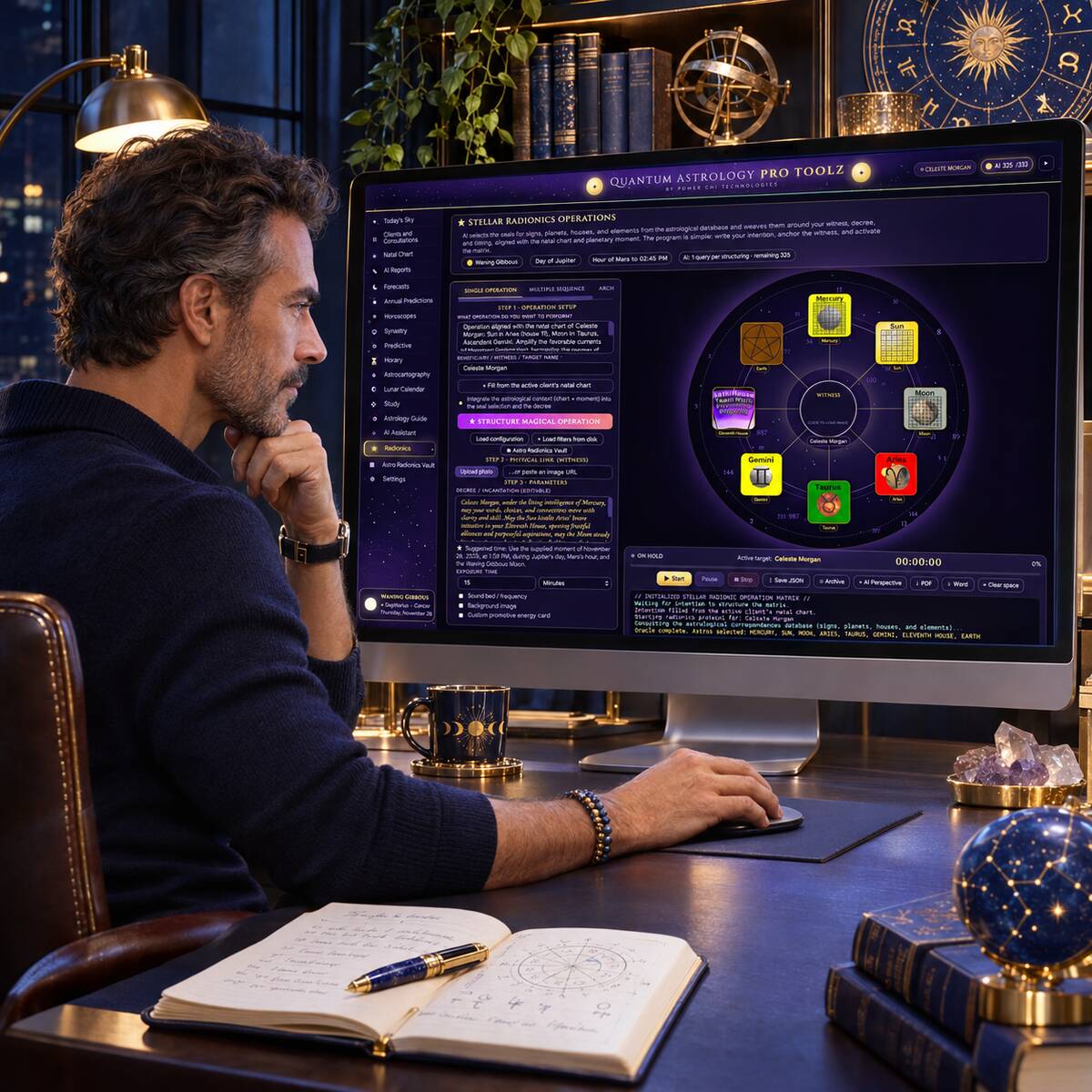
The Stellar Radionics Operations workspace combines a written intention, a witness or target, the active natal chart, the current planetary moment, selected seals, a decree, timing, duration, and transmission controls. The AI can propose seals for signs, planets, houses, and elements from the application’s astrological database, then organize them around the chosen purpose.
You remain the operator. Review every selected element, revise the decree, confirm the witness, choose an appropriate duration, and decide whether the operation should be started at all. The circular canvas makes the symbolic structure visible, while the log records preparation and transmission status. Operations can be saved as JSON, archived locally, reloaded, and exported to PDF or a document where supported.
This workflow is designed for metaphysical and experimental practice. It does not guarantee a physical, emotional, medical, financial, or external result.

Configure the calculation environment ⚙️
Settings centralizes professional identity, default location, house system, zodiac options, node choices, aspect orbs, minor aspects, privacy preferences, connected-service status, and backup controls. This gives you a consistent foundation across charts and reports while still allowing technique-specific choices where the workspace provides them.
Before serious use, review the default city, coordinates, time zone, preferred house system, and aspect settings. A carefully configured environment reduces repeated setup and helps keep exported work consistent. The same section provides JSON backup and restore tools for local data.
Backups should be handled as sensitive documents because they may contain client information, consultations, journals, or reports. Store them on an encrypted drive, do not edit internal application files while the program is open, and verify a backup process before relying on it.

Export through the operating system’s native Save dialog 📄
Customer-facing PDF export paths use the computer’s native Save dialog in the packaged Mac and Windows applications. When you select a PDF action, the application generates the document, then lets you choose the destination folder and confirm the filename. This behavior has been tested across the program’s PDF-capable areas, including natal material, reports, forecasts, annual predictions, horoscopes, synastry, predictive techniques, the lunar calendar, guide material, and radionics documents.
For the most reliable result, wait for all charts and text to finish loading, select PDF, choose the folder, keep the .pdf extension, save, and open the finished file to verify every page. The native dialog is also useful when organizing client folders because you decide where each export belongs.

Review a complete operation before transmission 🔍
A configured radionics operation brings the intention, target, astrological context, selected seals, decree, timing, and duration into one reviewable screen. This stage is important because it creates a pause between inspiration and activation. You can check whether the symbolic components actually match the written purpose and remove anything that does not belong.
The fictional demonstration operation shown in the screenshot was built from the fictional Celeste Morgan profile. It illustrates how a natal context can inform the proposed seals without exposing a real customer record. Use the same discipline with your own work: keep the intention clear, avoid unnecessary personal data, and preserve only the records you truly need.

Control an active transmission deliberately ▶️
When an operation is started, the workspace displays the active target, elapsed time, progress, and log. Start, Pause, and Stop controls keep the operator in charge, and the configured duration provides a visible boundary for the session. Background sound, a frequency option, a custom perspective image, and other available parameters can be selected when appropriate to the operation.
The transmission screen is meant to support attention and documentation. It does not make an operation autonomous or remove the need for responsible judgment. Pause if the configuration needs review, stop when the purpose or conditions change, and archive only the material that will be useful later.

Ideal for astrologers, students, and metaphysical practitioners 🔮
This program is especially suited to:
✨ Practicing astrologers who want charts, reports, consultation notes, and exports in one place
✨ Astrology students who learn best through cards, quizzes, guides, and live examples
✨ Researchers comparing transits, progressions, returns, maps, and lunar cycles
✨ Content creators preparing structured astrological material in English
✨ Radionics practitioners who want to integrate natal context and planetary timing
✨ Spiritual practitioners who prefer a visual and documented workflow
✨ Consultants who need a repeatable sequence from client intake to PDF delivery
✨ Users who want both quick-chart exploration and deeper saved records
✨ Learners interested in classical horary as well as modern predictive methods
✨ Anyone who values local organization while using protected online AI selectively.
Main benefits 🌟
✅ Saves setup time by connecting related astrology tools inside one application
✅ Keeps clients, consultations, charts, reports, and follow-up notes organized
✅ Offers visual, chronological, geographic, lunar, and written ways to study timing
✅ Supports both manual interpretation and AI-assisted drafting
✅ Makes advanced techniques easier to approach through dedicated workspaces
✅ Helps compare multiple layers instead of reducing interpretation to one score
✅ Provides a visual radionics canvas with explicit operator controls
✅ Preserves work locally for later comparison and refinement
✅ Gives clear visibility into the standard 90-response daily protected allowance
✅ Uses native Save dialogs for intentional PDF file placement
✅ Includes backup and restore tools for local application data
✅ Keeps AI-provider credentials out of the distributed customer application.
What you receive with your purchase 🎁
✅ Quantum Astrology Pro Toolz version 1.0.0
✅ Mac installer for Apple Silicon arm64 computers running macOS 11 or later
✅ Windows installer for 64-bit Windows 10 and Windows 11 computers
✅ English application interface and content
✅ English PDF user manual
✅ Today’s Sky dashboard
✅ Client and consultation management
✅ Natal chart workspace
✅ AI-assisted report catalog
✅ Forecast graphs, transit lists, and astro-clock
✅ Annual Predictions from 1900 through 2100
✅ Daily, weekly, and monthly horoscopes
✅ Professional synastry tools
✅ Solar return, lunar return, progressions, and solar arcs
✅ Horary astrology workspace
✅ Astrocartography world map
✅ Lunar calendar, planner, and journal
✅ Study library, quizzes, and Astrology Guide
✅ Urania AI assistant
✅ Stellar Radionics Operations and Astro Radionics Vault
✅ Local saved records and JSON backup/restore
✅ Native PDF Save dialogs across supported export areas.
Requirements: Internet access is required for activation, OrgoneGenerators authorization, protected AI features, and connected horoscope functions. The Mac build is ad-hoc signed and not notarized, so macOS may request approval in Privacy & Security. The Windows installer is unsigned, so Windows may display an unknown-publisher warning.
A richer, more visual astrological practice 🚀
Quantum Astrology Pro Toolz was created for people who no longer want their work scattered across a chart calculator, a notebook, a separate transit list, unrelated prompts, and an export folder they cannot find.
It was created for those who want every consultation, study session, forecast, and metaphysical operation to have structure, context, symbolism, movement, and a record that can be reviewed.
Here birth data becomes a living chart.
A chart becomes a sequence of observations.
The current sky becomes timing and context.
Comparison becomes relationship insight.
Study becomes an active practice.
Intention becomes a reviewable symbolic operation.
And the finished session becomes a document you can save, refine, and revisit. 🌌

Observe the sky. Structure the chart. Document the journey.
Choose Quantum Astrology Pro Toolz and begin building a more connected English-language astrology and radionics workflow. 🔥✨
Responsible-use note: This application supports astrological, spiritual, metaphysical, and radionics practice. It does not guarantee specific outcomes, diagnose conditions, or replace medical, psychological, therapeutic, legal, financial, or other licensed professional care.
Reviews
There are no reviews yet.